GazeIQ
Timeline
Feb 2026 — PresentRole
Skills Used
Technologies
Type
Unmoderated UX Research Platform
GazeIQ
What if UX researchers could understand not just where users look — but why they make the decisions they do?
GazeIQ is an unmoderated UX research platform that combines real-time gaze tracking, facial sentiment analysis, think-aloud audio recording, and AI-powered session synthesis. It is the first tool to close the intention gap in UX research — delivering a Claude-generated research summary with timestamped footnotes that reduce analysis time from hours to minutes.
The Opportunity
Heatmaps Show Where. GazeIQ Shows Why.
Existing UX research tools show researchers where attention landed — but they cannot explain whether fixation indicated interest or confusion, what the user was thinking, or whether emotional response aligned with verbal feedback.
Our Goals
Close the Intention Gap
Capture not just where users look, but what they felt and said at each moment — combining gaze, sentiment, and audio in one unified session
Automate Research Synthesis
Replace 4+ hours of manual session analysis with an AI-generated summary, timestamped footnotes, and direct replay navigation
Make Research Accessible
Deliver research-grade behavioral insights at a price point expensable by individual UX designers and researchers, with no participant install required
The Problem
The Intention Gap
Current tools measure WHAT happened. GazeIQ measures WHAT + HOW + WHY + WHEN. No affordable tool combines gaze tracking, facial sentiment, think-aloud audio, and AI synthesis in a single unmoderated workflow.
"Heatmaps told me where they looked. They couldn't tell me why they stopped there."
"I spent 6 hours watching recordings last week just to write a 2-page findings document."
"We know users drop off at the pricing page. We don't know if they're confused, skeptical, or just distracted."
The Strategy
Four Layers. One Unified Session.
GazeIQ captures the complete behavioral picture through four synchronized data streams, then processes them into a single AI-generated research summary with clickable footnotes that link directly to replay timestamps.
Task Briefing & Prompt Sequence
Researchers write a task description, then configure a sequence of timed prompts — shown to participants as non-intrusive overlays at set timestamps. Default prompts include 'What are you looking for right now?' and 'Is anything confusing or unclear?' — designed to surface verbal intention without disrupting the natural session flow.
Test Surface Upload
Researchers upload a screenshot, Figma export, or URL (rendered as screenshot at session start). The test surface is displayed full-screen to participants during the session, providing the visual anchor for all gaze and sentiment data.
Participant Link
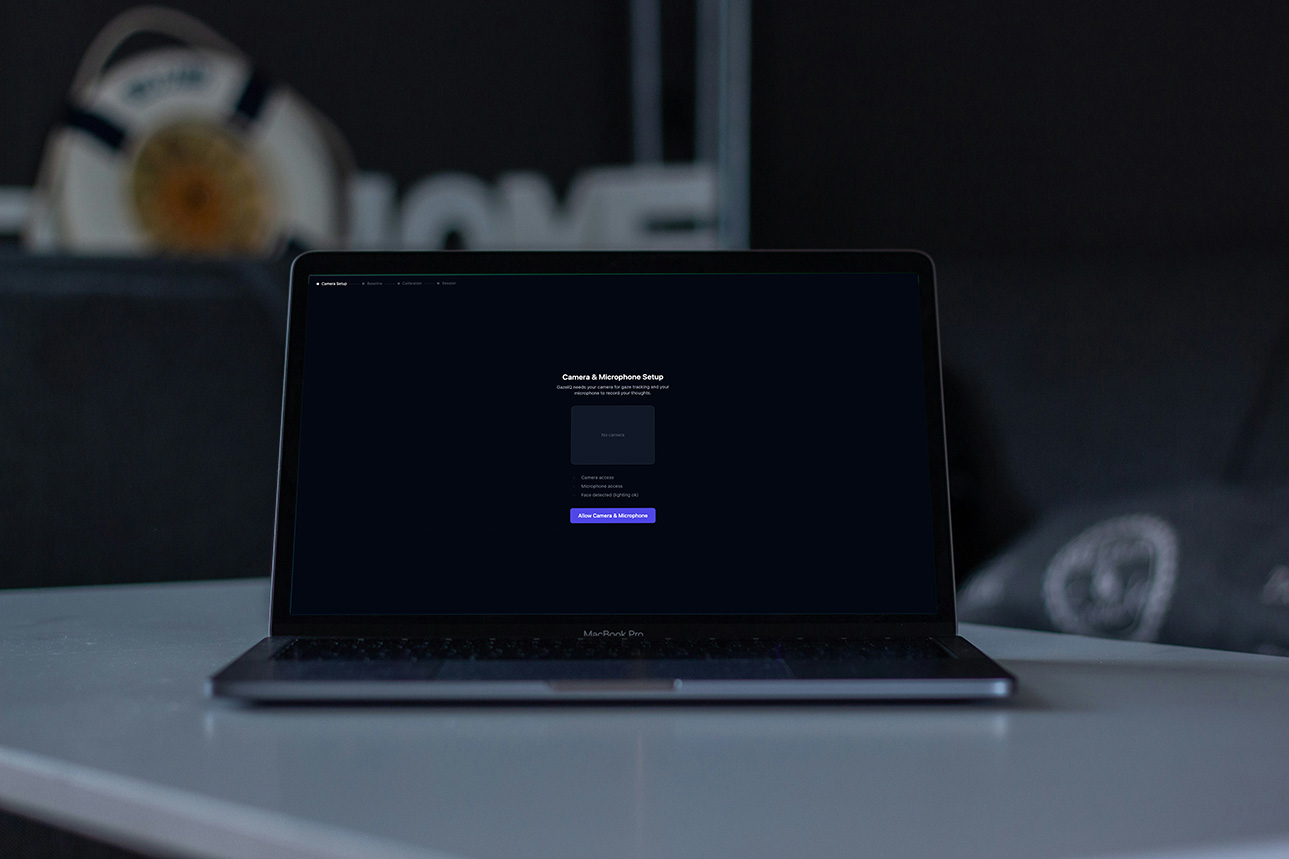
A shareable URL requires no participant login or install. Researchers set session limits and expiry dates. The participant link generates a clean, guided pre-session flow covering camera and microphone permissions, lighting check, and gaze calibration.
WebGazer 9-Point Calibration
Before the session begins, participants complete a 9-point gaze calibration and a 10-second baseline neutral face capture. Baseline calibration is used to normalize all sentiment scores relative to each participant's individual emotional starting point — removing variation caused by different camera angles, lighting, and facial features.
Four Synchronized Data Streams
During the active session, four streams capture simultaneously to a shared session clock: WebGazer.js tracks gaze coordinates continuously, face-api.js scores facial expressions per frame, MediaRecorder captures think-aloud audio as WAV, and the prompt engine shows timed overlays and records participant responses. All streams are timestamped to the same session clock for synchronized replay and analysis.
UX Emotion Inference Logic
Raw facial expression scores are translated into UX-relevant emotional states: Confused (fearful > 0.3 AND fixation > 3000ms), Frustrated (angry > 0.2 AND backtracks > 2), Flowing (neutral > 0.8 AND fixation < 500ms), and Delighted (happy > 0.4). All scores are relative to the participant's baseline — not absolute thresholds.
Whisper Transcription
On session end, the audio recording is sent to OpenAI Whisper API, returning a word-level timestamped transcript. This links every spoken word to the exact gaze position and facial expression at that moment — enabling the AI to correlate what the participant said with what they were looking at and feeling.
Gaze & Sentiment Processing
A gaze processor identifies fixations (dwell > 500ms in the same zone), detects backtracks (return to previously viewed zones), and sequences first fixations by zone. Combined with UX emotion inference, this creates a map of where confusion, frustration, and flow occurred — timestamped and zone-labeled.
Claude AI Summary with Footnotes
Claude receives the full structured session payload — task description, gaze events, confusion moments, sentiment timeline, transcript, and prompt responses — and generates a structured research summary: overview narrative, key moments, emotional journey, confusion moments ranked by severity, participant quotes, and a single prioritized design recommendation. Every claim is cited with a numbered footnote referencing timestamp, data source, and description. Footnotes are clickable in the Results Viewer, seeking the replay to that exact moment.
AI Summary with Clickable Footnotes
The full Claude-generated summary is displayed with formatted sections and superscript footnote references. Clicking any footnote seeks the gaze replay and audio to the exact timestamp referenced — replacing the need to manually scrub through recordings. Confusion moments are ranked by severity, and the design recommendation is highlighted prominently.
Synchronized Gaze Replay
A scrubable timeline shows the gaze dot moving over the test surface, with a fading scan path trail showing recent gaze history. Audio plays in sync with the replay position. Playback speed controls (0.5x, 1x, 2x) allow researchers to move through sessions efficiently. Clicking any point in the sentiment timeline seeks the replay to that moment.
Fixation Heatmap & Export
A toggle overlay renders a standard fixation heatmap on the test surface, filterable by time range with zone-level dwell duration labels. Export options include PDF report (AI summary + heatmap + metrics), MP4 video (gaze replay with audio), raw session JSON for advanced analysis, and a password-protected share link for stakeholder review.
The Outcome
Research That Takes Minutes, Not Hours
GazeIQ targets the $90M addressable segment of the UX research software market — positioned below clinical tools, above consumer heatmaps, and at a price point expensable by individual researchers.
Cost Per Session
Whisper + Claude + Firebase combined AI processing cost per session
Analysis Time
Target reduction in manual synthesis time per session
MRR Target
Phase 3 acquisition readiness target by Q4 2026
Key Takeaways
What This Product Taught Me
Design Insights
Visual and interaction design learnings
The most valuable product insight is often found at the intersection of two existing tools — GazeIQ exists in the gap between gaze tracking and think-aloud research
AI synthesis is only as good as the data structure fed into it — designing the session payload schema was as important as writing the Claude prompt
Participant experience is as critical as researcher experience in unmoderated tools — friction at calibration or permissions kills session completion rates before data is even collected
Product Insights
Why this approach is valuable
Pricing below an established competitor ($99 RealEye) at $49 removes the switch decision friction without commoditizing the tool
Dataset moat is the long-term defensibility — the behavioral + emotional + audio dataset GazeIQ accumulates is the asset that makes acquisition attractive
Hard MVP scoping is a product decision, not just an engineering one — deferring ARKit, cross-session analysis, and team features kept the May 2026 target achievable
The footnote → replay timestamp link is the single highest-leverage UX feature — it turns a passive AI summary into an interactive research tool
Specific details may be limited due to NDAs. Projects may be updated due to growth.
Interested in Working Together?
Let's discuss how I can help drive your product strategy and cross-functional initiatives.